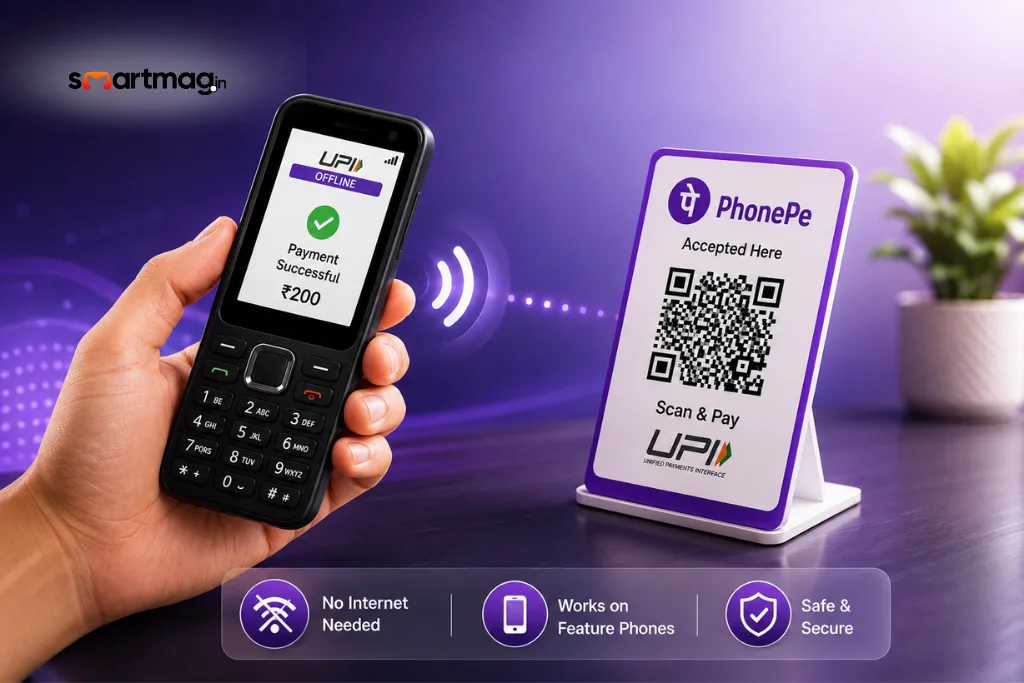
UPI transactions have already become a part of our routine life. However, such transactions need a smartphone and the internet. PhonePe has introduced its new service known as UPI 123Pay that allows customers to conduct UPI transactions without using a smartphone and the internet.
This service has been launched pre-installed in some models of feature phones manufactured by Nokia, HMD, Lava, and Itel. The company expects other mobile phone manufacturers to join the network in the coming days.
The company has designed the technology especially for conducting UPI transactions through feature phones, even in areas where there is no good 2G connectivity.
How Does PhonePe UPI 123Pay Work?
PhonePe UPI 123Pay is built using an SMS-based mechanism, which means that users can perform transactions in places where there is not sufficient 2G connectivity.
Users can transfer funds to other individuals by entering their mobile number or UPI ID. Users can also pay merchants using their UPI IDs.
With some of the compatible feature phones with cameras, users can scan QR codes to make payments.
Users can view their bank balance and transaction history through the service.
According to PhonePe, more features like bill payment, mobile recharge, and Aadhaar UPI onboarding would be provided through future updates.
Which Feature Phones Support UPI 123Pay?
Presently, the UPI 123Pay feature will be pre-loaded in selected feature phones by the following manufacturers:
- Nokia
- HMD
- Lava
- Itel
PhonePe has confirmed that more mobile phone companies will come on board within the next few days.
How to Register for PhonePe UPI 123Pay
It is not necessary to have a smartphone to create an account on UPI 123Pay, as users can register using the existing PhonePe application on their feature phone.
Follow these steps to start:
- Open the existing PhonePe application on the feature phone.
- Agree to the terms and conditions.
- Choose the bank.
- Enter the last 6 digits of the debit card.
- Enter the expiry date of the debit card.
- Create a UPI PIN.
- After completion, the UPI ID will be activated.
This way, the users can make payments using UPI through their feature phones.
How to Make UPI Payments Without Internet
Once the user has activated his/her UPI 123Pay account, he/she can transfer money via the PhonePe app.
The user can opt to make a payment via his/her contact, mobile number, or UPI ID. Once the recipient is chosen, the next step would be to enter the amount, validate the information, and confirm it with the UPI PIN. As it uses SMS technology, even 2G connectivity will be sufficient for making payments.
How to Pay Using a QR Code
Feature phones that come with a camera are able to support the Scan & Pay facility as well.
They will be able to scan the merchant’s QR code and pay the required amount with their UPI PIN.
PhonePe Adds Voice-Based AI Helpline
PhonePe also provides a helpline based on voice AI, which helps the user activate 123Pay using UPI and get knowledge about the basics of UPI.
Voice AI is available in English and 12 Indian languages.
Explore more technology, digital payment, and innovation-related insights on SmartMag. Stay informed with the latest trends, practical guides, and updates shaping the digital world.