Your page ranks on Google. People see it. And then they scroll past it.
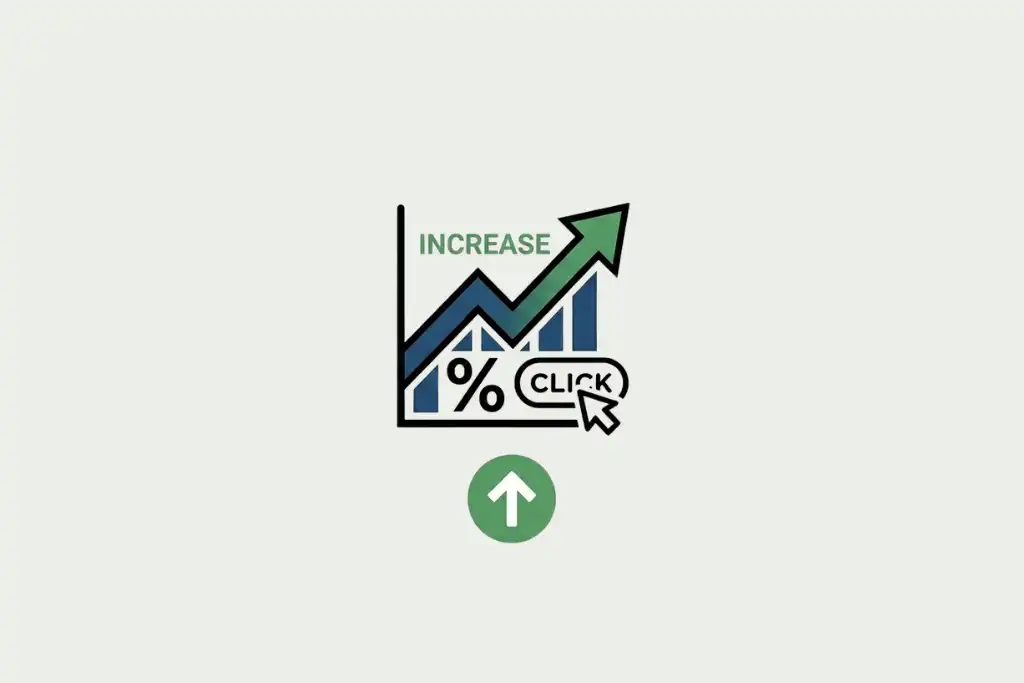
That gap between impressions and clicks is your organic click-through rate (CTR). Most SEOs obsess over rankings and ignore it completely. That’s a mistake.
A 1% improvement in CTR across 50 pages can mean thousands of extra visits per month. Without touching your backlinks. Without publishing new content. Just by making what’s already ranking work harder.
Here’s how to actually do it.
What is organic CTR and why it matters
Organic CTR is simple: impressions divided by clicks, expressed as a percentage. If 1,000 people see your result in search and 30 click it, your CTR is 3%.
Google’s own data shows the average CTR for position 1 is around 28%, dropping to roughly 2.5% by position 10. So rank matters. But 2 pages in position 3 can have wildly different CTRs depending on how their titles and meta descriptions read.
Higher CTR also sends a behavioral signal to Google. Pages that get clicked more than expected for their position tend to move up. Pages that get ignored tend to drift down.
There’s a feedback loop here. Better CTR leads to better rankings, which leads to more impressions, which means even more clicks. And before you assume ranking is the whole game, read this: pages not ranking on Google have 7 specific reasons behind them — CTR weakness is one of them.
Where to track your organic CTR
Google Search Console is the primary source. Under Performance > Search Results, you can see CTR by query, by page, by country, and by device.
Also worth knowing: zero-click searches are eating into organic traffic more than ever in 2026. Featured snippets, People Also Ask boxes, and AI Overviews answer queries without a click. That makes the clicks that do happen more competitive. Your CTR work matters more now, not less.
How to write title tags that actually get clicked
The title tag is the single biggest lever you have. It’s the first thing people read, and it’s what they use to decide whether your result is worth their time.
Most titles fail because they describe the article instead of selling the click. “10 tips for better sleep” describes the article. “Why you can’t fall asleep (and what actually works)” earns the click.
Front-load your primary keyword
Google bolds keywords in titles when they match the search query. A title that starts with the keyword gets bold text at the front, which catches the eye instantly.
For a page targeting “increase organic CTR”, lead with that phrase: “How to increase organic CTR: 7 tactics that work in 2026” beats “7 SEO tactics to boost your search traffic.”
Use numbers when they’re true
Numbers in titles consistently outperform vague descriptors. “5 ways” beats “several ways.” “Increased our CTR by 34%” beats “improved our click-through rate significantly.”
The specificity does the work. Don’t fake it. If you have a real data point, use it.
Add a year for time-sensitive queries
Searches like “best SEO tools” or “how to increase organic CTR” carry implicit freshness intent. Adding “(2026)” or “Updated 2026” to the title signals relevance.
Both RankMath and Yoast let you insert dynamic year variables in title templates so you’re not updating this manually every January. RankMath uses %year% in the title field. Takes 10 seconds to set up.
Keep it under 60 characters
Google truncates titles around 580px of display width. Roughly 55 to 60 characters for most fonts. Go over and your title gets cut mid-sentence, which looks bad and wastes the tail end of your message.
RankMath flags titles that are too long or too short. Pay attention to the pixel meter, not just the character count.
Meta descriptions: the underused click driver
Google doesn’t always use your meta description. Sometimes it pulls a snippet from the page body. But when it does use yours, it’s your only controlled space below the title.
Think of it as ad copy. Your title earns the look. Your description earns the click.
Include the keyword naturally
When a searcher’s query matches text in your description, Google bolds it. That visual emphasis draws the eye. Write your description to naturally include the primary keyword and, if possible, a related secondary phrase.
End with a call to action
Most meta descriptions just describe the article. Few of them ask for the click. “Learn the 7 tactics” or “See the full breakdown” consistently outperforms neutral descriptions.
Keep it under 160 characters. The snippet preview in RankMath shows exactly how it’ll look in the SERP before you publish.
Test, don’t guess
The only way to know what works is to change something, wait 2 to 4 weeks, and check whether CTR improved in Google Search Console.
Meta descriptions are just one part of the bigger on-page picture. If you want a full reference, this on-page SEO checklist for blog posts covers everything from title structure to internal linking in one place.
Structured data and rich results
Rich results take up more space in the SERP. Star ratings, FAQs, breadcrumbs, recipe cards — all of them make your listing visually larger and more informative than a plain blue link.
That size advantage translates directly into clicks. A listing with 4.8 stars and 284 reviews gets more attention than one without. It looks more credible, and credibility is a click trigger.
Google’s trust signals go deeper than schema though. Your E-E-A-T signals — experience, expertise, authoritativeness, trustworthiness — affect how Google presents your result and how searchers perceive it. Both matter for CTR.
Schema types that move the needle most
- FAQ schema: adds expandable questions directly under your result. Works well for informational posts.
- How to schema: shows numbered steps in search results for tutorial content.
- Review/Rating schema: the star rating that makes product or service pages stand out.
- Article schema: shows publication date and author, which helps for news-adjacent content.
RankMath handles all of this from the Schema tab on each post. For most content types, it’s a few clicks. The official Google documentation on structured data is the authoritative reference if you want to understand what each type does before implementing.
URL structure and breadcrumbs
Clean URLs read better in the SERP. “smartmag.in/increase-organic-ctr” communicates what the page is about before anyone reads the title. Long, parameter-heavy URLs do the opposite.
Breadcrumb markup replaces the raw URL with a readable path in search results. It makes your listing look more organized. RankMath enables breadcrumb schema automatically once you configure it in the settings.
Target queries where you’re ranking 6 to 20
Positions 1 to 5 already get most of the clicks. Positions 21 and beyond rarely convert to meaningful traffic even with good CTR.
The sweet spot is positions 6 to 20. You have enough visibility to get impressions, but the click share is low enough that a better title can meaningfully shift the numbers.
How to find these opportunities in GSC
Go to Performance in Google Search Console. Filter by position (greater than 5, less than 21). Sort by impressions. Look for queries with high impressions but CTR below 3 to 5%.
Those are your targets. Update the title and meta description, note the date, check back in 3 weeks.
One thing that kills CTR before you even get to test titles: targeting the wrong keywords entirely. If the query doesn’t match what your page actually delivers, no title will fix it. This guide on keyword research mistakes costing you traffic is worth reading alongside your GSC data.
Search intent and CTR
This one gets missed constantly. You can have a great title and still get ignored if your result doesn’t match what the searcher actually wants.
Someone searching “organic CTR” might want a definition. Someone searching “how to increase organic CTR” wants tactics. Someone searching “organic CTR tool” wants a product recommendation. Same topic, 3 completely different intents, 3 different results that deserve to rank.
If your page matches the intent and your title reflects that match, CTR goes up. If your title promises tactics but the page is a glossary entry, the clicks you do get will bounce fast — and Google notices. Search intent is the real reason most pages don’t rank, and it’s also a big reason CTR stays low even when rankings are decent.
Emotional triggers and power words
2 titles can target the same keyword and get completely different CTRs. The difference is usually emotional specificity.
“How to increase organic CTR” is fine. “How we increased organic CTR by 63% in 6 weeks” is better. The second one has a number, a timeline, and a specific result. It reads like something a person discovered, not something a content team produced.
Words that consistently improve CTR
- Specific numbers: “4x”, “from 1.8% to 4.3%”, “in 30 days”
- Questions in titles: triggers the gap that searchers already feel
- Curiosity phrases: “the real reason”, “what most guides miss”
- Recency signals: “2026”, “updated”, “new data”
Use them when they’re true. Don’t manufacture urgency that isn’t there. Clickbait might win the click and lose the trust.
Mobile vs desktop CTR
Mobile users behave differently. They’re more likely to click the first result. They’re less likely to scroll. Title truncation happens earlier on smaller screens.
Check your CTR split by device in GSC. If mobile CTR is significantly lower than desktop for the same pages, you probably have titles that front-load brand name instead of keyword, or descriptions that cut off before the useful part.
Fix the mobile experience first. That’s where most search traffic comes from.
The bottom line
Ranking is necessary. But ranking doesn’t mean clicking.
Your title is ad copy. Your meta description is a pitch. Your schema markup is social proof in SERP form. All of it is testable, measurable, and mostly ignored by sites that think SEO ends at rank 1.
Start with GSC. Find your 6-to-20 pages with high impressions and weak CTR. Rewrite the titles. Add a year, a number, a sharper hook. Check back in 3 weeks. Repeat.
It’s the most underrated growth lever in organic search, and it costs you nothing except a willingness to keep testing.